PACK DESIGN · SIMULATION · GARAGE
Design the pack.
Explore the system.
Start with what you are powering. Find the tools to size its battery, explore alternatives, and understand its behavior.
Existing tools, together in one Design island.
PACK DESIGNERExisting product render
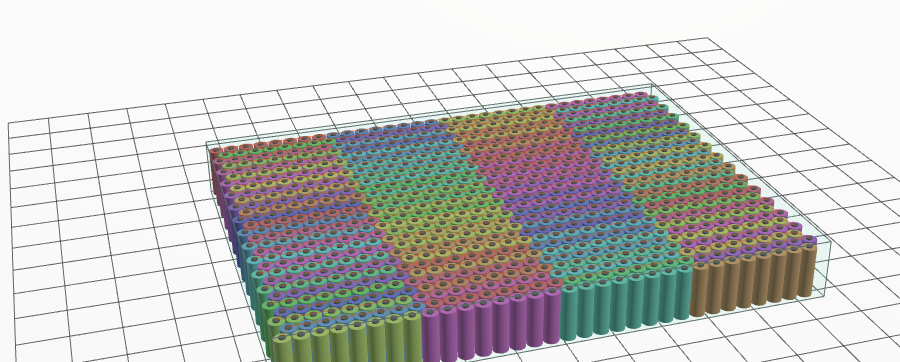
Existing product illustration
What are you powering?
Start with the kind of product. The designer asks only the questions that change its battery.
APPLICATION EXPERIENCE · PROPOSAL
02 · Choose the conditions to explore
Mission targets optional
These targets stay in this preview; no calculation runs here.
YOUR MISSION
Visual context
Try the existing application
Leads with
The workspace opens in a new tab with this application’s starter requirements. Set the duty, temperature and charging there; this preview does not transfer them.
Current availability for this application
GARAGE
Pick a car, a road and the weather.
Choose from the 72-car artist collection and rotate the original model. Then choose where and when it drives, and plan the drive with the battery behind it. Hands-on driving · in development
Loading the original car collection…
The 72-car artist collection is separate from the 22 source-backed engineering donor records. Two mismatched artist entries remain excluded from 3D preview. Catalog details →
What the 3D view and playback do today
The 3D viewer supports inspection, orbit, zoom and camera views. Planning a drive opens the road-vehicle application with the road and weather you chose; the workspace then runs the study, and mission playback supports play, pause and scrubbing of the completed simulation. Throttle, brake and steering are not live controls yet. Full-machine visualization varies by application; some hosts require the local runner.
SIMULATION
From blocks to system behavior.
Find the building blocks for your model, explore an example, then connect and run it in the editor.
Block library
Loading the released library…
Browse the released editor's signal, structural and physical blocks. Expand an entry for its interface, model boundaries and available worked example. Component classes describe reusable market-part models separately.
3D PARTS
How the blocks look in 3D.
Some blocks are also drawn in 3D. A 3D part is a drawing of a block: its sizes come from the Pack Designer records and the run colours it. It is not a block of its own, so the block library does not count it. The cell module is built from your own pack: save it in the Pack Designer and use it in the Studio.
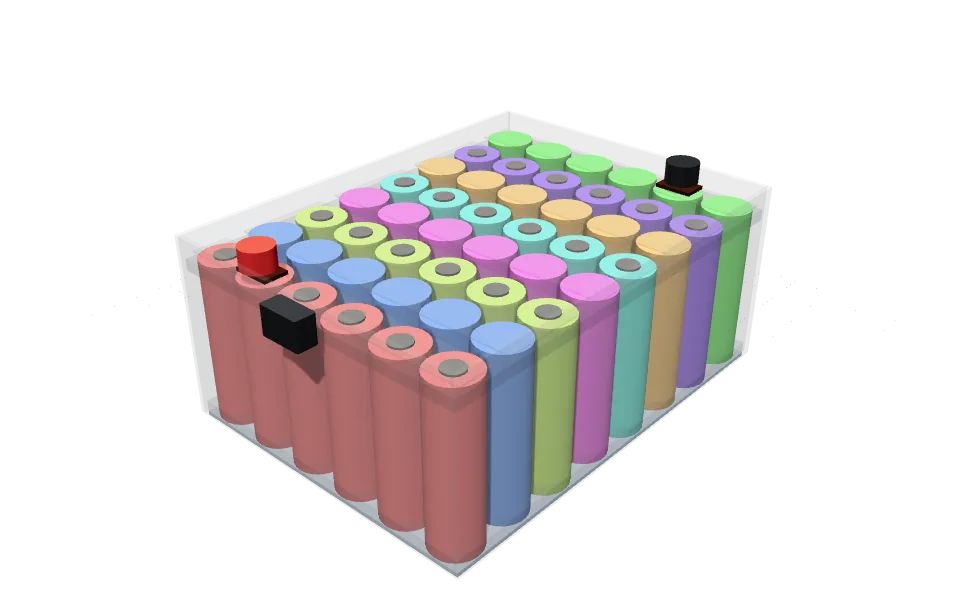
Cylindrical cell module
- Draws the block
- Thermal mass
- Shown
- with a Pack Designer design
- Built from
- your own pack: the cell, series × parallel, module size and components you choose in the Pack Designer
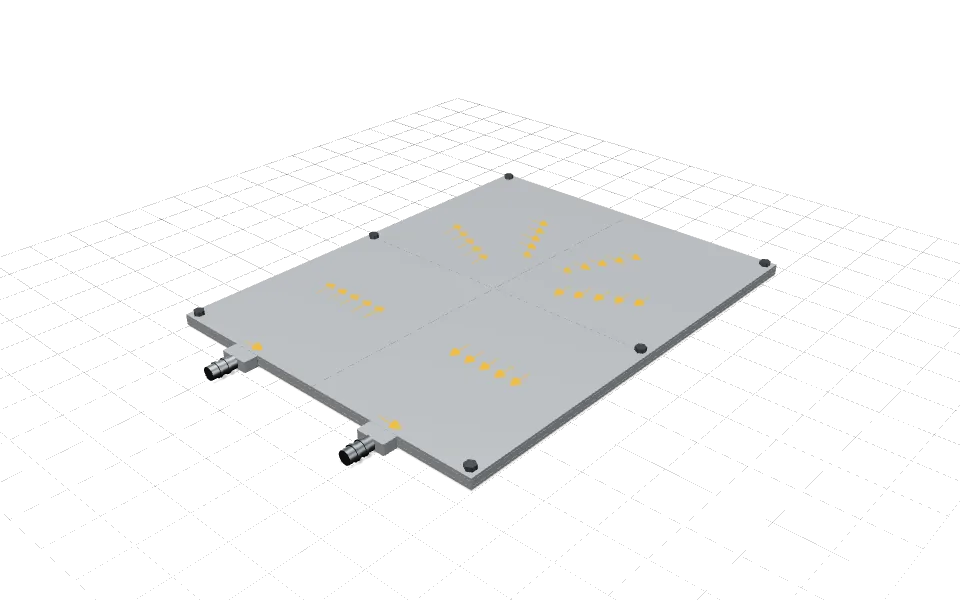
Channel cold plate
- Draws the block
- U-channel plate, Parallel-channel plate, Edge-cooled plate
- Shown
- with a Pack Designer design and in the schematic view of a network without a design
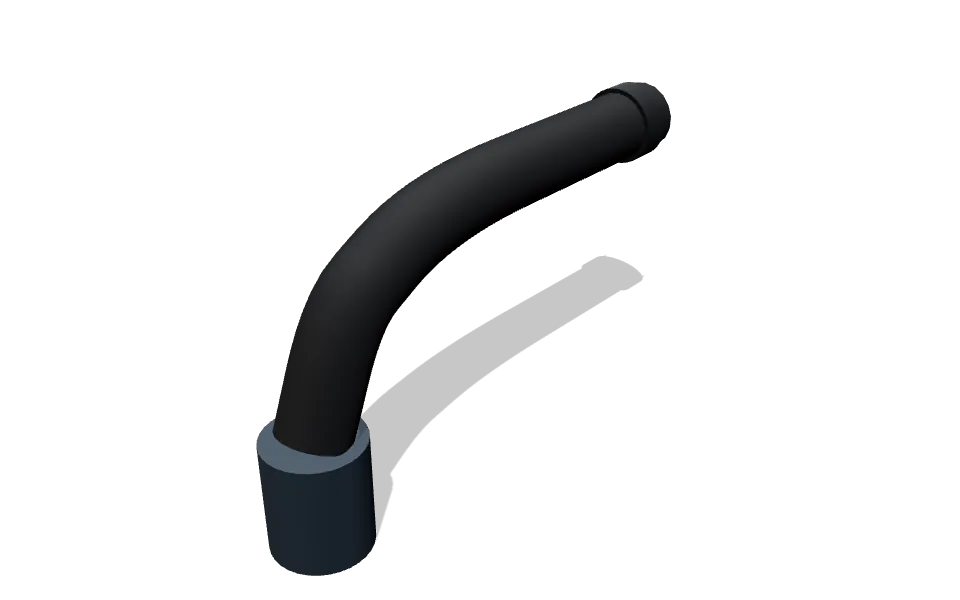
Coolant line
- Draws the block
- Coolant pressure and temperature boundary
- Shown
- with a Pack Designer design and in the schematic view of a network without a design
Thermal body
- Draws the block
- Thermal mass
- Shown
- in the schematic view of a network without a design
4 parts drawing 5 blocks, from the released Studio (revision 33837a0b4). Cells are coloured by series group, as the Pack Designer draws them.
Find the tool for your next question.
Pack design, Garage, and simulation stay together. Open the part of the workspace you need.
Pack Designer
Choose the application and cell. Explore the pack arrangement, size, mass, and engineering estimates.
Open Pack Designer ↗Refurbishment
Choose one of 22 donor vehicles, inspect its pack, and compare replacement options with their consequences.
Choose a donor vehicle →Simulation
Browse the block library, explore examples, and build connected models to understand system behavior.
Explore Simulation →Drive, mission studies & replay
Pick a car, a road and the weather in the Garage, run the study in the workspace, and replay the resulting battery behavior.
Plan a drive →Open a road-vehicle study ↗Calibration & engineering studies
Find the current fitting, electrical, thermal, and safety-study tools with their access and model boundaries.
Browse the current tools ↗Checks, results & reports
Review results alongside requirements, assumptions, source records, and issues still to resolve.
Open the results workspace ↗Quick calculators
Four inputs, one answer, and a link to the full model behind it. Discharge time and temperature first; charge time, SoC and SoH next.
Open the discharge calculator →CAN analyser
Decode a CAN log with your DBC, plot the signals, replay the real drive and compare it with the model. Logs stay on your device.
See Pro plans ↗Keep the methods close.
Open examples, documentation, and access information when you need them.